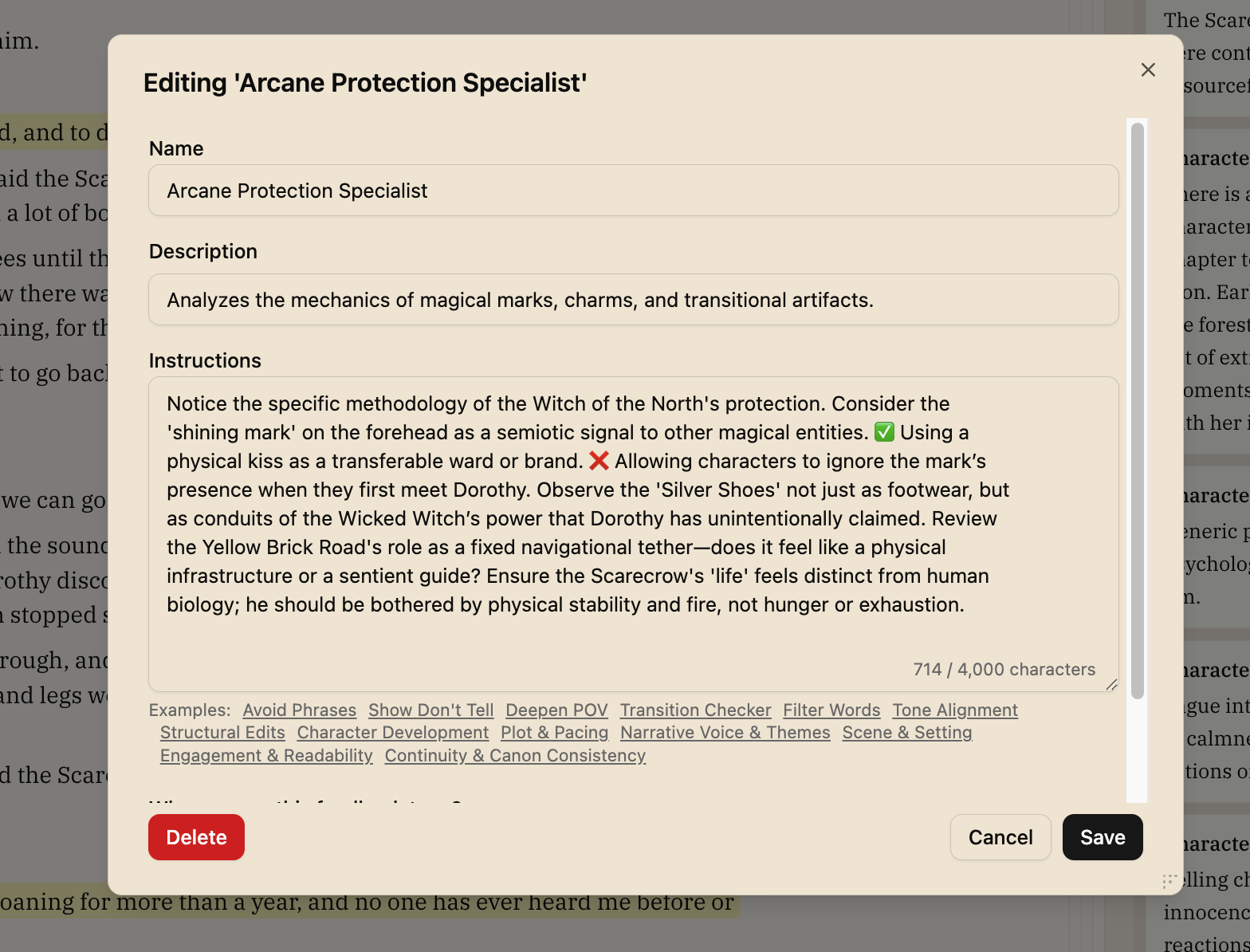
Suggested Feedback Types
When you upload a manuscript, Writers Room automatically detects your genre using BISAC classification and analyzes:
- Your detected genre - Identified from your content using industry-standard BISAC codes, with specific conventions and reader expectations
- Chapter summaries - The unique elements, settings, professions, and themes in your story
Based on this analysis, the system creates 3-4 custom "expert reviewer" feedback types that are specifically relevant to your manuscript.
Examples of Generated Expert Types
For a Regency Romance, you might see:
- Social Conduct & Etiquette Consultant: Reviews period-appropriate social interactions
- Estate Management Historian: Evaluates accuracy of property and inheritance details
- Romance Beat Checker: Ensures all expected romance beats are present (meet-cute, dark moment, HEA)
For a Mystery/Thriller, you might see:
- Forensic Pathologist Review: Evaluates forensic accuracy and investigative realism
- Police Procedure Consultant: Reviews accuracy of investigation protocols
- Pacing & Suspense Analyst: Checks that clues are properly seeded and tension builds appropriately
When Suggestions Are Generated
Automatic Generation (During Import)
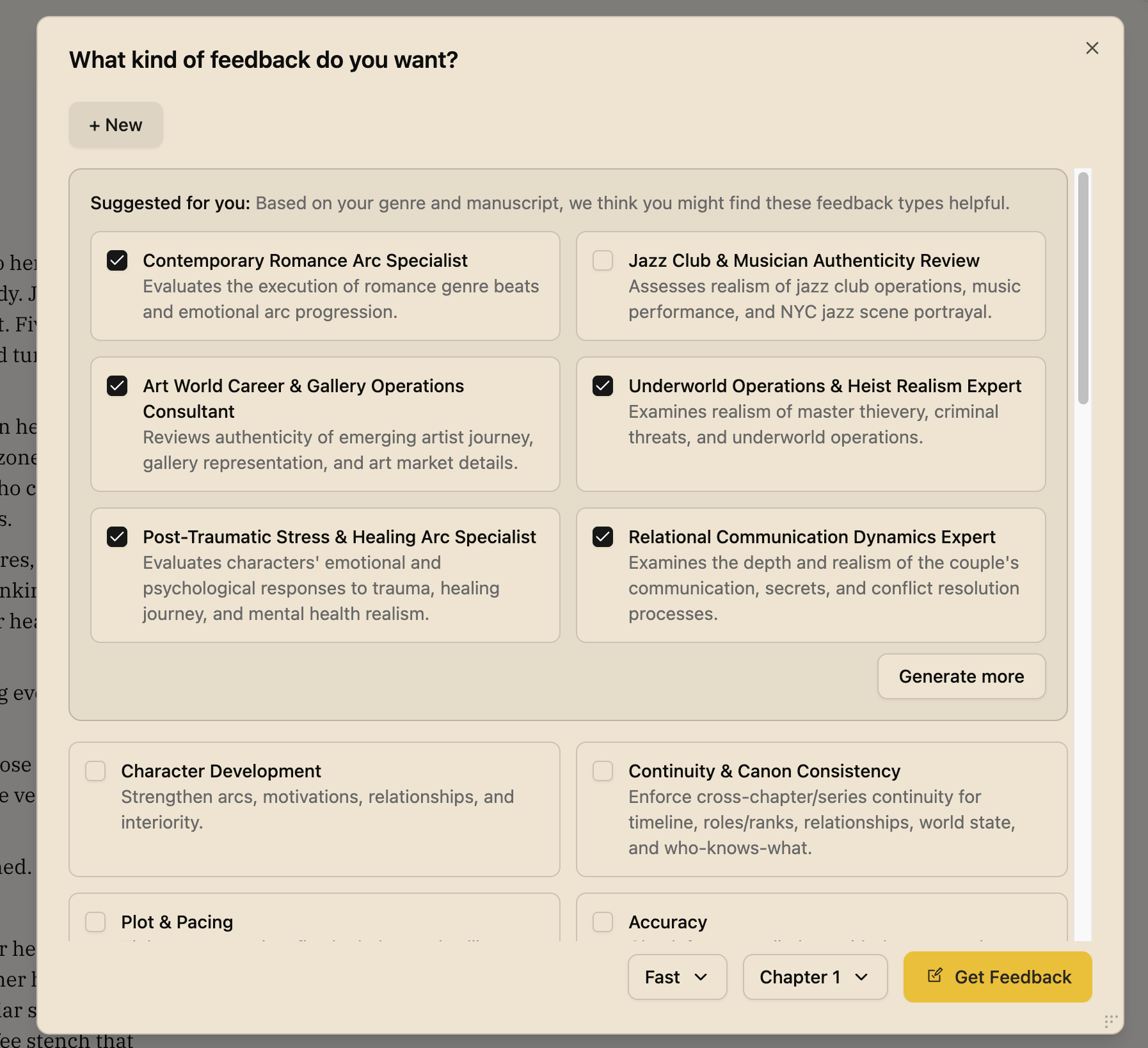
Once the genre is detected, suggested feedback types are generated based on your specific BISAC genre classification. They'll be ready and waiting in the Analyze Modal when you first access your document.
Manual Generation (In the Feedback Modal)
You can also generate additional suggestions manually:
- Open the Feedback Modal
- Click Generate more in the suggestions section
- The system will create additional suggested feedback types
Viewing Your Suggestions
Suggested feedback types appear in a highlighted "Suggested for you" section at the top of the feedback types list in the Get Feedback modal. Each suggestion includes:
- Name: A creative expert title (e.g., "Maritime Navigation Expert")
- Description: A brief explanation of what this expert reviews
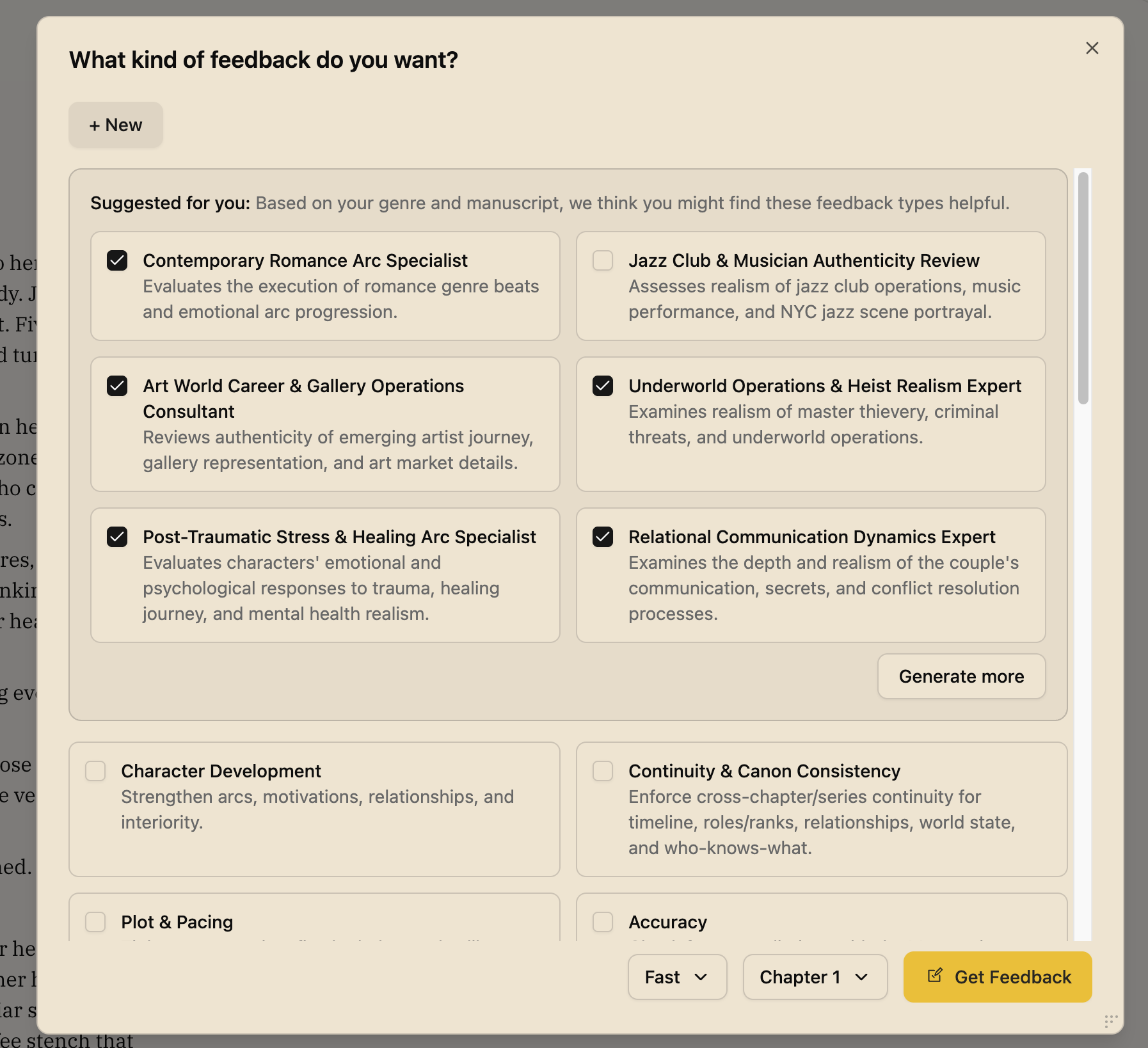
Managing Suggested Feedback Types
Suggested feedback types are automatically added to your feedback type library. You can:
- Select them for feedback requests like any other feedback type
- Edit them by hovering over the type and clicking the edit icon
- Delete them if they're not relevant to your needs (click the edit button and you'll see a delete button appear at the bottom of the modal)