Developmental Edits
Writers Room's feedback system provides intelligent, context-aware comments that go beyond simple suggestions. The editor analyzes your manuscript deeply and provides actionable feedback with specific improvements.
What Makes This Different?
Unlike basic editing tools that look at text in isolation, Writers Room's feedback considers your whole story:
- Context-Aware: The editor understands your entire manuscript, not just isolated passages
- Actionable: Comments include specific actions you can implement
- Interactive: You can discuss feedback directly with the editor in chat
- Respectful of Your Voice: Feedback considers your genre, style, and artistic intent
- Rules-Aware: The editor automatically follows your project Rules when generating feedback and suggestions
How It Works
When you request feedback, the editor:
- Analyzes the relevant section in context of your full manuscript
- Considers character arcs, plot threads, and thematic elements
- Creates comments with specific, implementable suggestions
- Provides action items for larger feedback
Action Items
Each feedback comment may include action items - specific tasks you can complete to address the feedback.
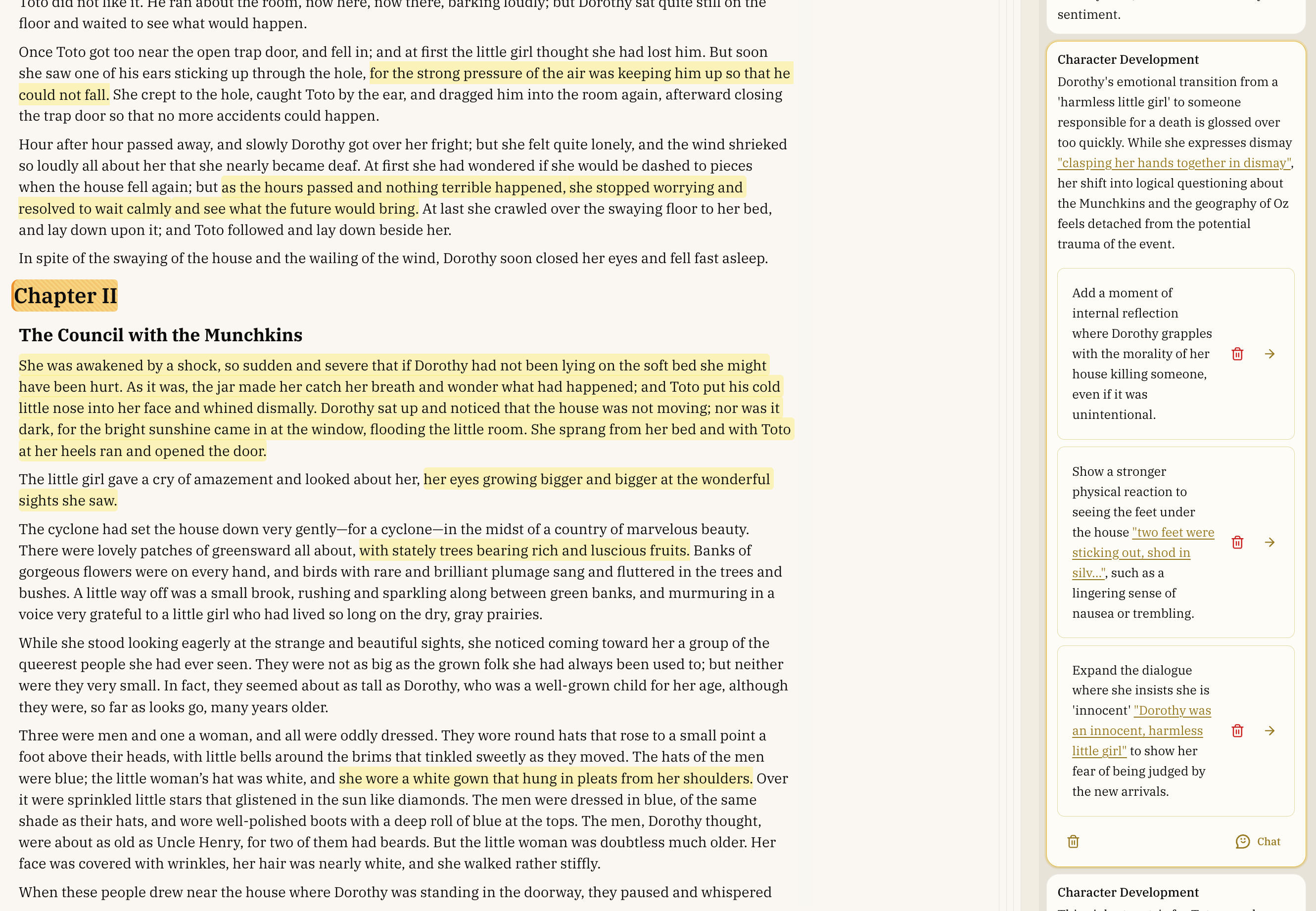
Action items appear within comments and can be:
- Accepted: Implement the suggested change
- Modified: Adjust the suggestion before implementing
- Discussed: Open a chat to explore alternatives
- Rejected: Dismiss if it doesn't fit your vision
Working with Developmental Editing Feedback
Viewing Action Items
When reviewing feedback, you'll see:
- The main feedback comment explaining the issue
- Specific action items with suggested changes for larger feedback
- Options to delete the comment or discuss it with the editor in chat
- Options to work on action items or delete them