Managing Feedback
The Comments Panel
When feedback is generated, the Comments Panel opens automatically on the right side of the editor. It displays all feedback comments grouped by feedback type.
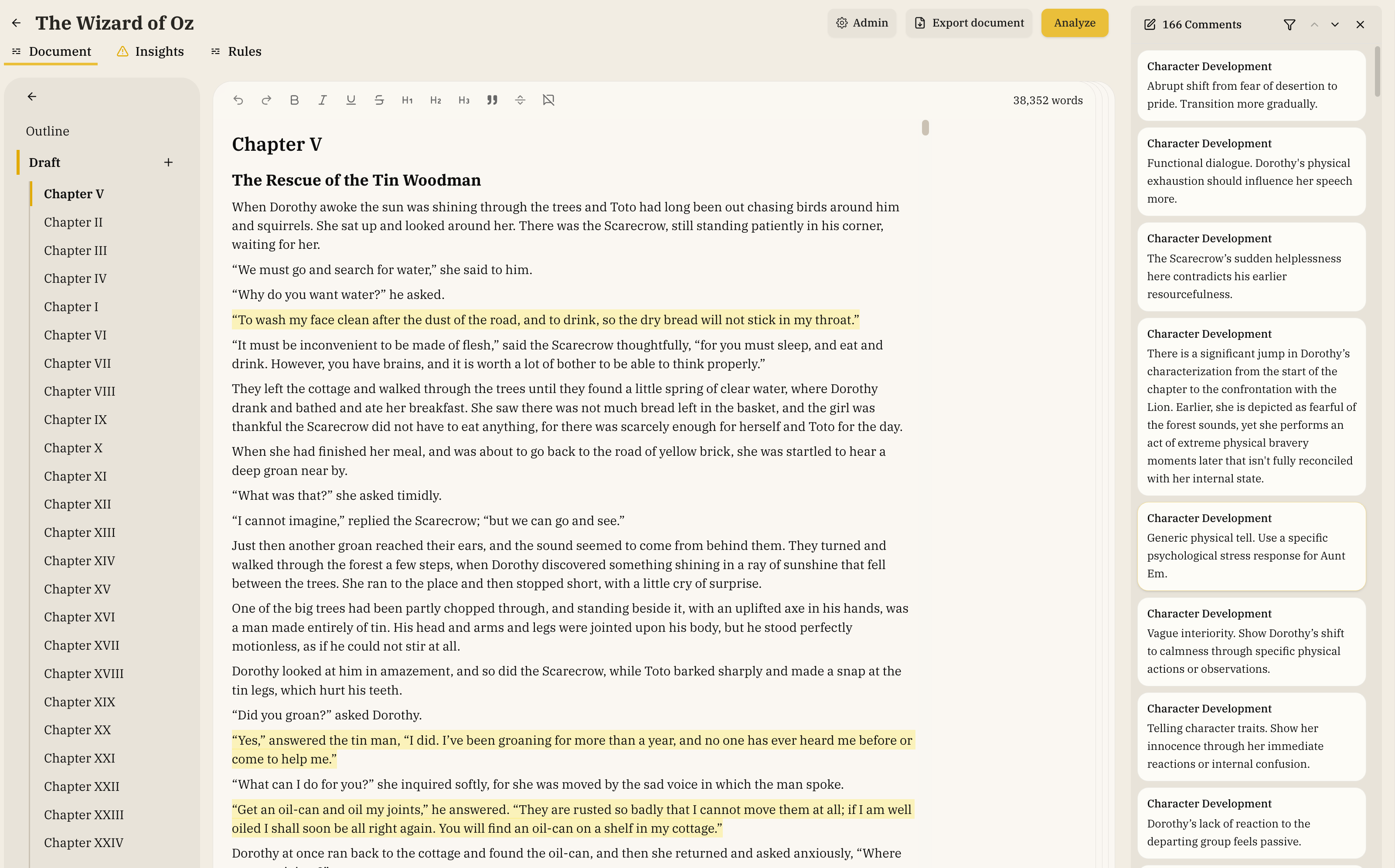
Opening and Closing
- The panel opens automatically when new comments are added
- The panel closes automatically when all comments are resolved (accepted or rejected)
- Click the comments count button in the toolbar to reopen the panel
- Click the X button in the panel header to close it
- Use the filter button to only see specific types of comments
- The panel is only available on the Document page
Navigating Comments
- Click a comment in the panel to select it and highlight the corresponding text in the editor
- Click an annotation in the editor (highlighted text) to open the panel and scroll to that comment
- Use the up/down arrow buttons in the panel header to move between comments
- Click the same comment again to deselect it
Responding to Feedback
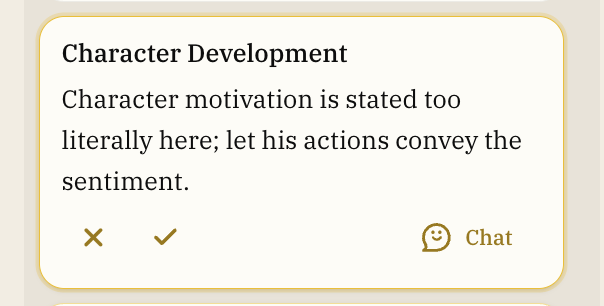
When a comment is selected (active), action buttons appear at the bottom of the card:
- Accept: Click the checkmark button or press A to accept the suggestion. The change is applied automatically and the comment is removed.
- Reject: Click the X button or press R to reject the feedback. You'll be prompted to provide a reason, which helps improve future feedback.
- Chat: Click the chat button to open a conversation with the agent about the feedback.
Your Own Comments
Comments you leave yourself (via the Comment button in the hover menu) appear in the panel alongside AI feedback. When selected, they have different actions:
- Resolve: Click the checkmark to mark the comment as resolved and remove the highlight
- Edit: Click the pencil icon to update the comment text
- Delete: Click the trash icon to remove the comment and its highlight
Rejected Comments
After rejecting a comment, the comment will become dimmed for 30 seconds. This is in case you decide to add a rejection reason. Adding a reason helps the feedback system learn your preferences and provide better suggestions in the future.