Creating a Project
Writers Room organizes your work into projects. Each project can contain multiple documents and maintains its own settings, feedback types, and chat history.
Creating a Blank Project
- From the dashboard, click Create Project
- Enter a name for your project
- Click Create blank project to start with a blank document
This is ideal when you want to:
- Start writing from scratch
- Paste text directly into the editor
- Build your manuscript piece by piece
Importing Documents
Writers Room supports importing manuscripts in multiple formats to get you started quickly.
Supported Formats
- Microsoft Word (.docx) - Recommended for best formatting preservation
- Plain Text - Via the paste text option
How to Import
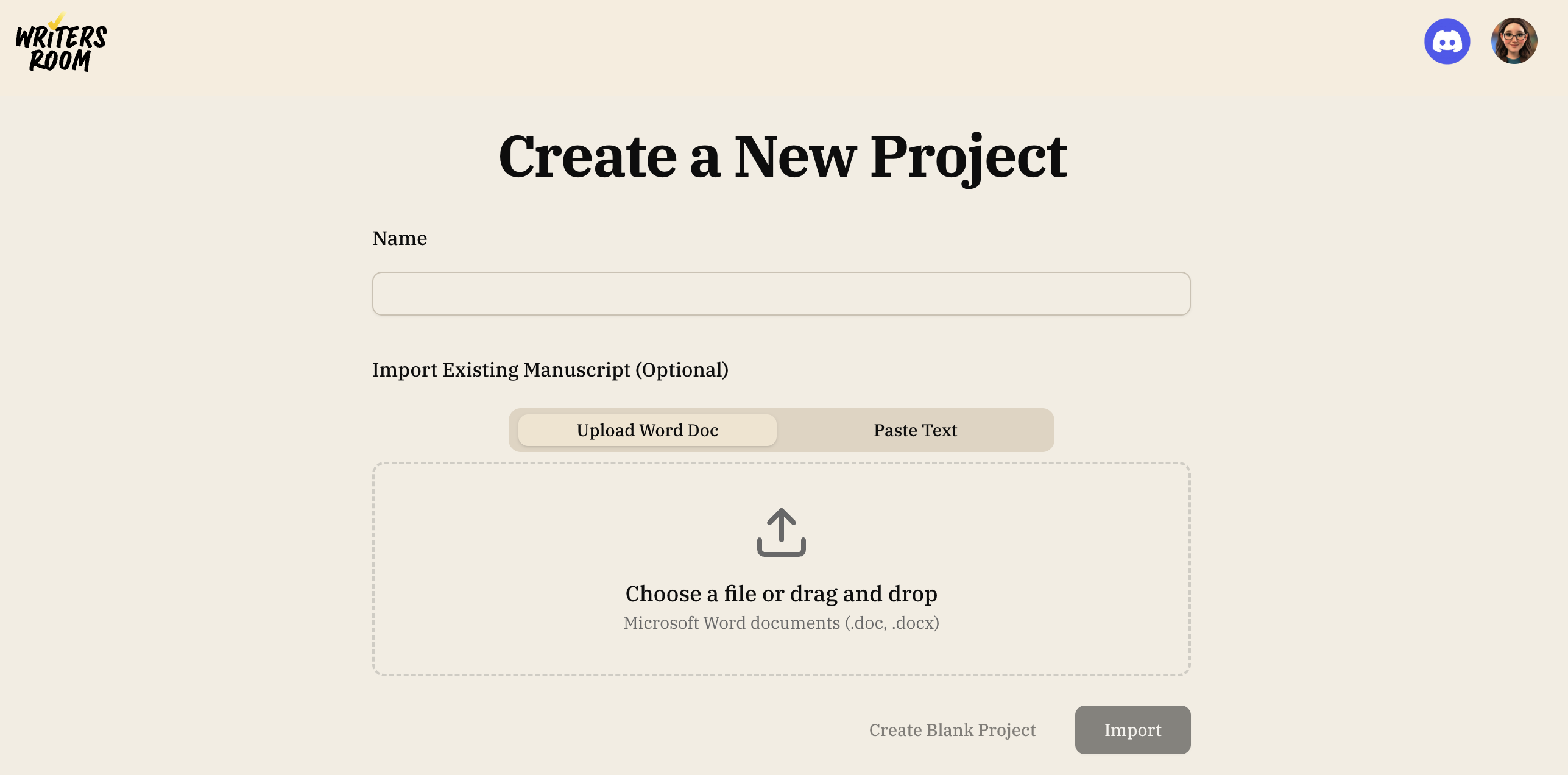
During Project Creation
- Create a new project and give it a name
- Choose Upload Word Doc or Paste Text
- Drag and drop your file or click to browse (for Word docs)
- Click Import to begin processing
Import Progress
When you import a document, you'll see real-time progress through two main stages:
Stage 1: Analyzing Structure
- Reading and parsing your document
- Detecting chapters and sections
- Shows how many chapters were found (e.g., "Found 24 chapters")
For best results with chapter detection, use clear chapter headings in your manuscript (e.g., "Chapter 1" or "CHAPTER ONE").
Stage 2: Understanding the Story
- Reading the story chapter by chapter
- Extracting key information for insights, including the genre
- Generating some initial feedback on your manuscript
Automatic Genre Detection
During import, Writers Room automatically detects your manuscript's genre by analyzing your manuscript.
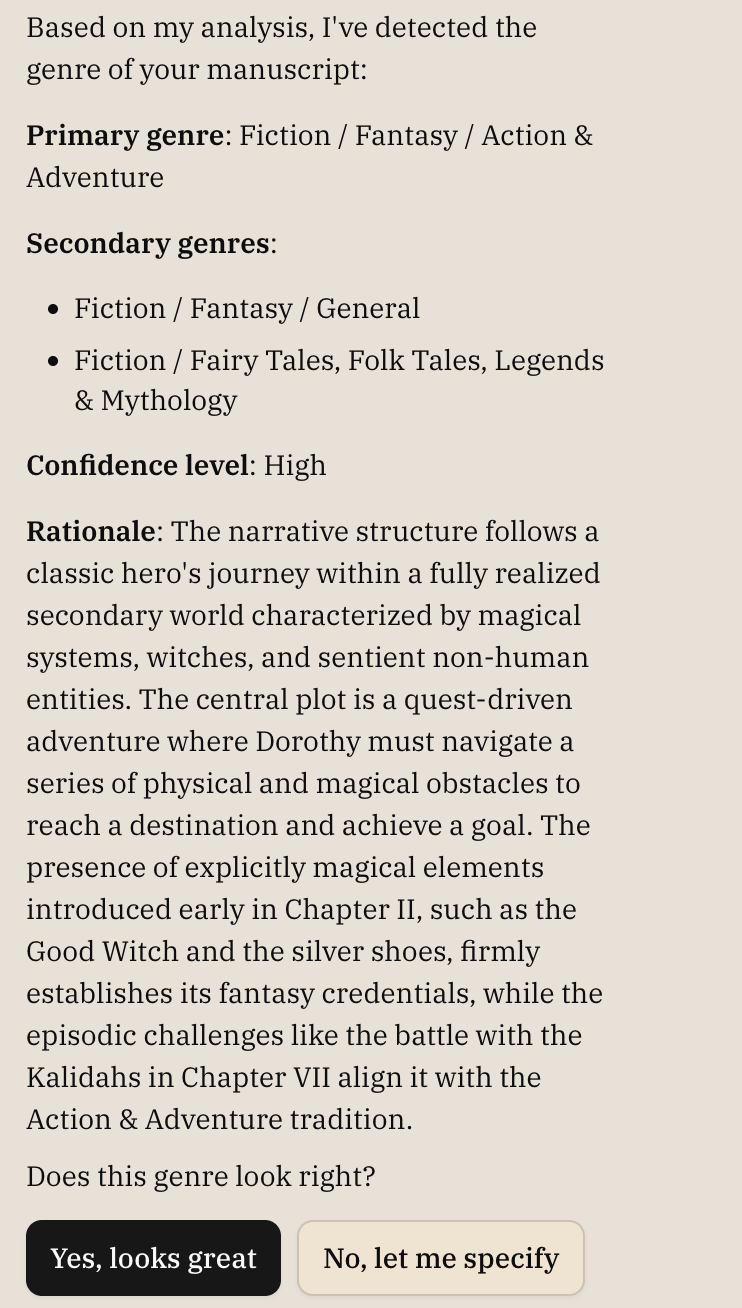
You'll see the detection appear in the chat panel:
- Primary genre: The main BISAC classification (e.g., "FICTION / Fantasy / Epic")
- Secondary genres: Additional genre elements present in your work
- Confidence level: How certain the detection is (high, medium, or low)
- Rationale: A brief explanation of why this genre was detected
This happens in the background while your manuscript is being processed—no action required on your part!
Genre detection uses BISAC (Book Industry Standards and Communications) codes, the same system used by publishers and bookstores. Learn more in Genre Selection.
Chat During Import
The chat panel opens automatically during import to keep you informed and shows:
- A greeting message
- A note about initial feedback it'll leave on your manuscript
- When genre detection completes, a message shows what was detected
- You can start chatting about your manuscript even while import continues
Import Timing
Import duration depends on manuscript length:
- Short manuscripts (under 30,000 words): 2-3 minutes
- Standard novels (60,000-100,000 words): 5-7 minutes
- Long manuscripts (over 100,000 words): 7-10 minutes
The progress bar and stage indicators show real-time status throughout the process.
Cancelling an Import
If you need to cancel:
- Click the Cancel Import button at the bottom of the progress screen
- Confirm the cancellation
- The project will be deleted and you'll return to the dashboard